Overview
Video editing is essential for making films, television shows, video advertisements, and more. It involves arranging video clips, images, and sounds to create video shots. Today, most of this work is done on a computer using video editing software.
Editing typically takes place during the post-production process. In addition to video editing, there are other post-production tasks, including sound and music mixing, visual effects, start and end titling, and color correction.
100% Job Assistance
1yr+ LMS Access
5+Projects
4+Tools
In the video editing course, you will learn four main software programs: Premiere Pro, After Effects, Photoshop, and Audition. This course teaches detailed techniques to help you become a skilled video editor. You will also gain the confidence to work on projects such as films, television shows, and video advertisements.
Adobe Premiere Pro is a popular video editing software that helps you create unique videos. It is used for editing video, improving audio, and colour grading. Premiere Pro has powerful tools to edit raw footage for both small and large videos. If you want to focus on video editing and apply colour effects and basic transitions, Adobe Premiere Pro is the program to use. Below are a few highlights of the module outline.
- Understanding User Interface
- Creating Sequence & Importing Media
- Understanding Resolutions
- Basic Video Editing
- Adding & Creating Effects
- Working with Audio
- Advanced Video Editing
- Color Correction
- Stabilize Footage
- Slow Motion Footage
- Green Screen
- Exporting Media
- Project 1 – Promotional Ad
- Project 2 – Film Trailer
Photoshop is the best software for imaging and graphic design. People use it to create and improve photographs, illustrations, 3D artwork, titles, layouts, logos, and more. Here are some highlights from the module outline. Here are some highlights from the module outline.
- Understanding User Interface
- Working with Images
- Color Modes
- Layers Panels
- Typography
- Editing Tools
- Masking
- Transformations
- Smart Objects
- Adjustment Layers & Color Correction
- Linking Photoshop Files to Premier Pro
- Project 1 – Titles & Layouts
- Project 2 – Photo Manipulation & Color Correction
After Effects is used in post-production after capturing and editing video footage in programs like Adobe Premiere. It adds visual effects to videos and creates motion graphics and animation sequences. In the industry, After Effects is important in the post-production process of filmmaking, television production, and social media. Below are some highlights of the module outline.
- Understanding User Interface
- Creating New Composition
- Importing Media
- Shapes & Text
- Keyframes Animation
- Creating Mask
- Creating Effects
- Green Keying
- 3D Camera Tracker
- Compositions Editing Techniques
- Rotoscoping
- Color Correction
- Motion Graphics
- Project 1 – Adding Effects to Film Trailer
- Project 2 – Adding Motion Graphics to Live Action Video
- Project 3 – Motion Graphics Intro
Audition is an audio editing application that lets you record, edit, and mix audio. Adobe Audition is used by musicians, podcasters, video creators, editors, audio engineers, and professionals worldwide. Here are a few highlights of the module outline.
- Understanding User Interface
- Record audio with Audition
- Adjust volume
- Edit audio tracks together
- Add background music
- Apply and adjust effects
- Remove background noise
- Make audio better with EQ, amplitude, and compression
- Stretch time and shift audio pitch
- Add delay and echo effects
- Make vocals sound better
- Remove vocals from audio
- Edit music in Audition
- Save and export files
- Project – Adding voice, sound effects & music to motion graphics video & promotional AD
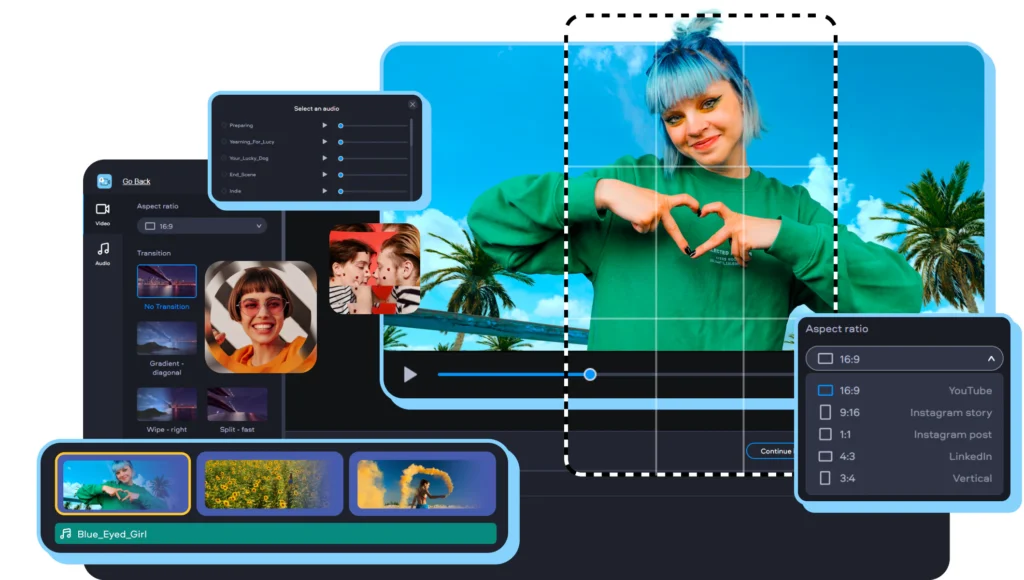
Video Editing Course
- Duration : 2 Hours 32 Minutes
- Language : English
- Certificate : Yes
- Duration : 3 Months
- Mode : Offline
Industry Standard Tools you will Master
Benefits you will get in this Program
- Professional Editing Skills
- Creative Storytelling
- Hands-on Software Training
- Career Opportunities
- Freelancing & Business Growth
- Learn to cut, trim, and merge clips
- seamlessly.
- Add smooth transitions and stunning effects.
- Improve videos with color grading and correction.
- Enhance sound through audio editing and mixing.
- Deliver polished, professional-quality videos.
- Understand the art of visual storytelling.
- Learn pacing, rhythm, and flow in editing.
- Add titles, text, and graphics to boost narratives.
- Use music and sound to create emotional impact.
- Turn raw footage into engaging stories.
- Master Adobe Premiere Pro for editing.
- Learn Adobe After Effects for motion graphics.
- Explore DaVinci Resolve for color correction.
- Work on real-time projects using industry tools.
- Gain practical, job-ready software skills.
- Build a strong portfolio to showcase your work.
- Prepare for roles in media, film, and advertising.
- Understand industry standards and workflows.
- Get guidance for interviews and job placements.
- Access opportunities in studios and agencies.
- Learn how to start as a freelance video editor.
- Understand client requirements and project briefs.
- Build long-term clients through quality work.
- Create content for social media and brands.
- Grow your own video editing business.